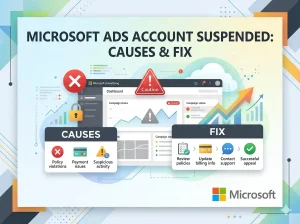
In 2026, a Microsoft Ads account suspended notification is often more sudden and restrictive than other platforms. Microsoft (formerly Bing Ads) has tightened its “Egregious Policy” enforcement, often suspending new accounts within minutes of creation or campaign import.
At KayoAds, we understand that for many businesses, Microsoft is a vital source of high-intent search traffic. If your account has been flagged, navigating the Account Suspension process requires a precise, data-driven approach.
Top Causes of Microsoft Ads Suspensions in 2026
Microsoft uses an automated “Trust Scoping” system that flags accounts for immediate review. If the AI detects a high-risk pattern, the suspension is labeled as an Egregious Policy Violation.
1. The “Google Import” Trigger
A common cause of suspension in 2026 occurs right after importing campaigns from Google Ads. If your Google campaigns contain flagged keywords, redirect chains, or “thin” landing pages, Microsoft’s filters may trigger an instant ban. This is why we recommend a manual audit before using the Run Google Ads for Affiliate Marketing strategy on Microsoft’s network.
2. Circumventing Systems
Creating multiple accounts to bypass a previous ban is the fastest way to get blacklisted. Microsoft’s 2026 tracking now includes “Payment DNA” and “Hardware Fingerprinting.” If you have a Meta Business Manager Restricted history, ensure your Microsoft billing data is entirely unique and verified.
3. Payment & Billing Mismatches
If your billing address does not match your business registration or if you use a high-risk virtual credit card (VCC), the account will be flagged for “Suspicious Activity.” Microsoft requires clear, traceable financial links to a verified legal entity.
4. Failed Advertiser Identity Verification (AIV)
In 2026, Advertiser Identity Verification is mandatory. If you fail to submit your business license or personal ID within the 30-day window, or if the documents are expired/low-quality, your account will be paused or suspended indefinitely.
The 2026 Recovery Roadmap: How to Fix a Suspension
If your account is suspended, do not open a new one. This will only lead to a permanent “Circumventing Systems” flag. Instead, follow this recovery protocol:
Step 1: Complete AIV First
Microsoft often makes successful AIV completion a prerequisite for any appeal. Go to Settings > Account Verifications and ensure your status is “Verified.” You will need:
-
Official business formation documents (Articles of Incorporation).
-
Proof of domain ownership (e.g., a domain purchase order or registrar screenshot).
-
A government-issued ID that reflects the primary admin’s current appearance.
Step 2: Perform a Technical Audit
Before appealing, ensure your Web Design and landing pages are compliant:
-
Remove Cloakers: Disable any scripts that show different content to Microsoft’s “Bingbot.”
-
Fix Redirects: Ads must lead directly to the final destination without intermediate hops.
-
Match Entities: Ensure the business name on your website footer matches your Microsoft billing profile.
Step 3: Submit a Strategic Appeal
Submit your appeal through the Microsoft Digital Safety Portal. Every 2026 appeal is reviewed by a human team, but you must be factual:
-
Acknowledge Mistakes: “We realized our campaign import included old redirect links which have now been removed.”
-
Provide Proof: Attach your business license and a clean scan of your ID.
-
Be Professional: Avoid emotional pleas; focus on your commitment to the Microsoft Services Agreement.
Comparison: DIY Recovery vs. KayoAds Agency Accounts
| Feature | Standard Microsoft Account | KayoAds Agency Account |
| Trust Level | Low (New/Unverified) | Highest (Pre-Verified) |
| Appeal Success Rate | ~30% for Egregious Violations | 90%+ (Whitelisted status) |
| Verification | User-managed | Handled by Agency |
| Funding | Sensitive to VCCs/Billing mismatches | Instant Balance Top-ups |
| Support | Automated/Delayed | 24/7 Dedicated Human Support |
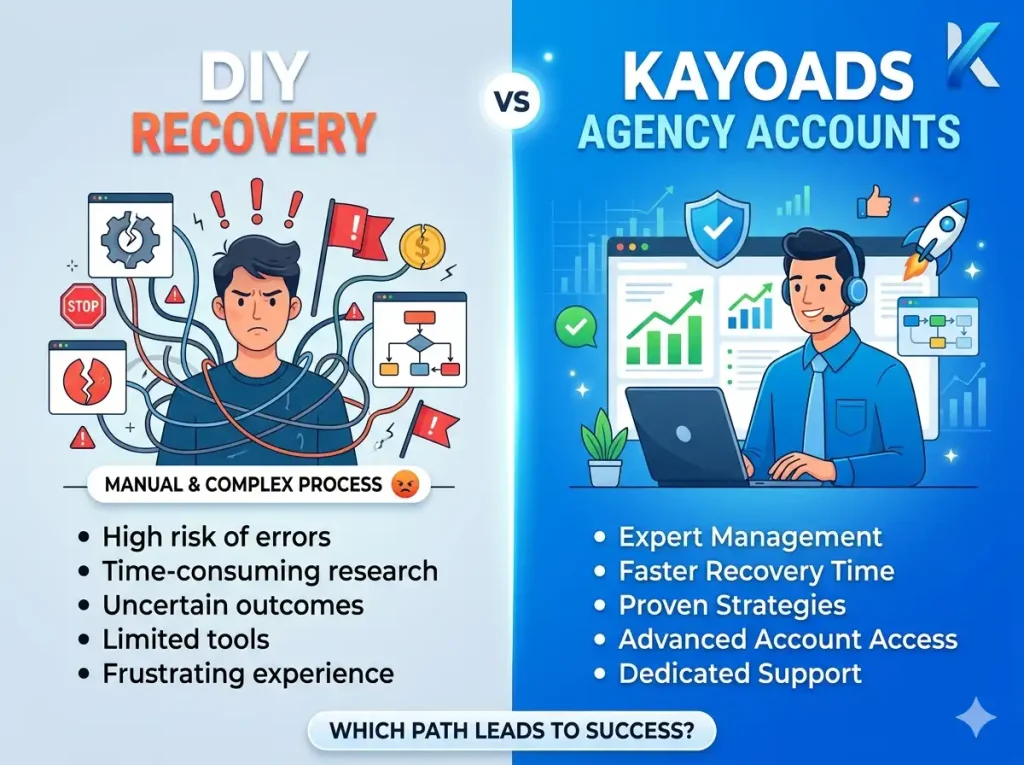
Why Choose a Microsoft Agency Account?
For businesses that cannot afford the 14-day “Estimated Wait Time” for an appeal, a Microsoft Agency Account is the only viable alternative. By using KayoAds infrastructure, you benefit from:
-
Suspension-Proof Setup: Our accounts are “warmed” and come from authorized agency pools that have a higher “Trust Buffer.”
-
Risk Isolation: If one campaign is flagged, it doesn’t nukes your entire business profile.
-
Unlimited Scaling: Start spending high volumes immediately without triggering fraud alerts.
Conclusion
A Microsoft Ads account suspended status is a serious hurdle in 2026, but it is not always a dead end. By prioritizing Advertiser Identity Verification and fixing technical mismatches on your site, you can prove your legitimacy to Microsoft. If your appeal is denied, transitioning to a professional agency setup is the most effective way to protect your brand’s growth.

Website desgin
Using our website design and development service with KayoAds

Android & IOS
Broaden your business horizons with top-notch mobile app development services

SEO Tools
At Kayoads, we specialize in delivering top-notch SEO optimize services